
The System face tells you about your console, manages the saves on your memory cards and restarts Indigo. On Home, turn the cube to System and press A.
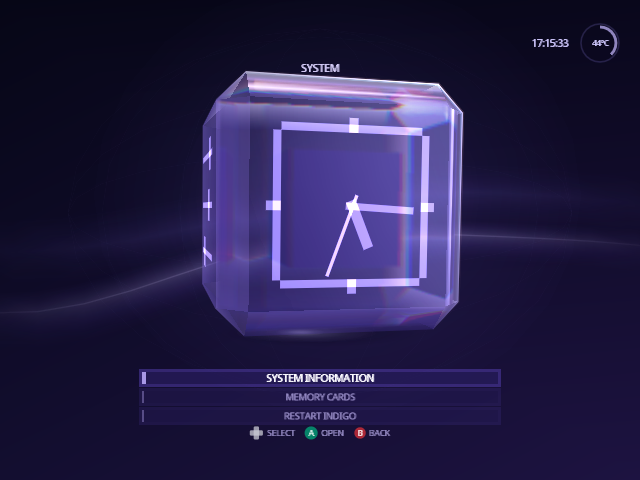
System Information

System Information is six pages about the console and the session. L and R move between them, and B goes back.
| Page | Shows |
|---|---|
| Overview | The time and date, the CPU temperature and its calibration, and the session: the current source and whether it's ready, the video mode, the region and the build. |
| Console | The console model, IPL version, CPU, graphics chip and the CPU's unique ID. |
| Connections | What's in the memory card slots, serial ports, the disc drive interface and the high-speed port, plus a live look at the slots, the current source and the configuration device. |
| Input / Output | What's plugged into the four controller sockets, and the video mode, progressive scan, region, audio and language. |
| About Indigo | The Swiss version Indigo is built on, the exact commit and revision, where the source lives, and where to get community help. |
| Credits | The people who made Swiss possible. |
Connections and Input / Output are read when you open the page; open it again to see a change.
The CPU temperature has no factory calibration. If Overview's reading is off on a cold console, adjust Settings › Setup › Console › CPU Temperature Calibration until it reads about room temperature.
Memory Cards
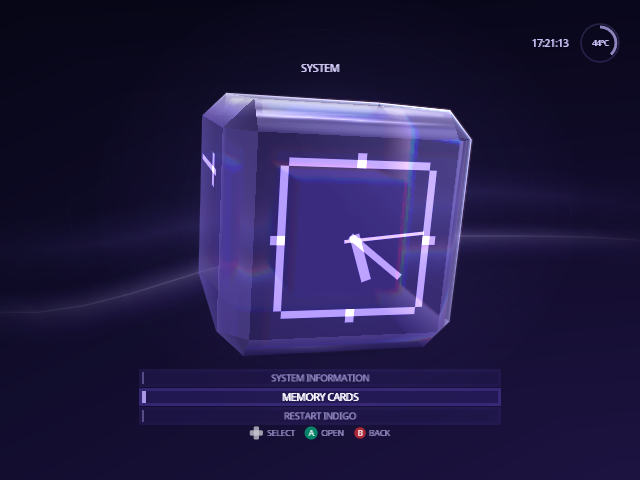
Memory Cards lists the saves on the memory cards in Slot A and Slot B and in folders on your SD card, with each save's banner, and copies, moves and deletes them between the three. See Memory Cards.
Restart Indigo
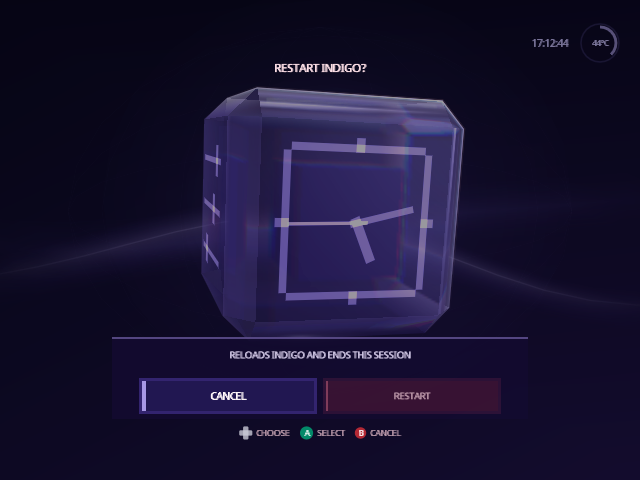
Restart Indigo resets the console, which then starts the way it does
after you press its Reset button. If your loader boots Indigo, as PicoBoot
does with ipl.dol, you're back in Indigo with a fresh session; a loader that
boots stock Swiss first starts that instead.
Indigo asks first, with Cancel selected, so an extra A can't restart it by mistake. Choose Restart with Left or Right, then press A.
From docs/guide/system.md in Indigo v1.25.0, rendered for the web. Spotted a mistake? Suggest an edit.